Everyone signs in as themselves, and sees only what is theirs
The moment a second person is selling, two questions arrive: who did this, and who is allowed to. Erca answers both without you standing over anyone.
In the app: Setup & Settings. All of it is in the base plan.
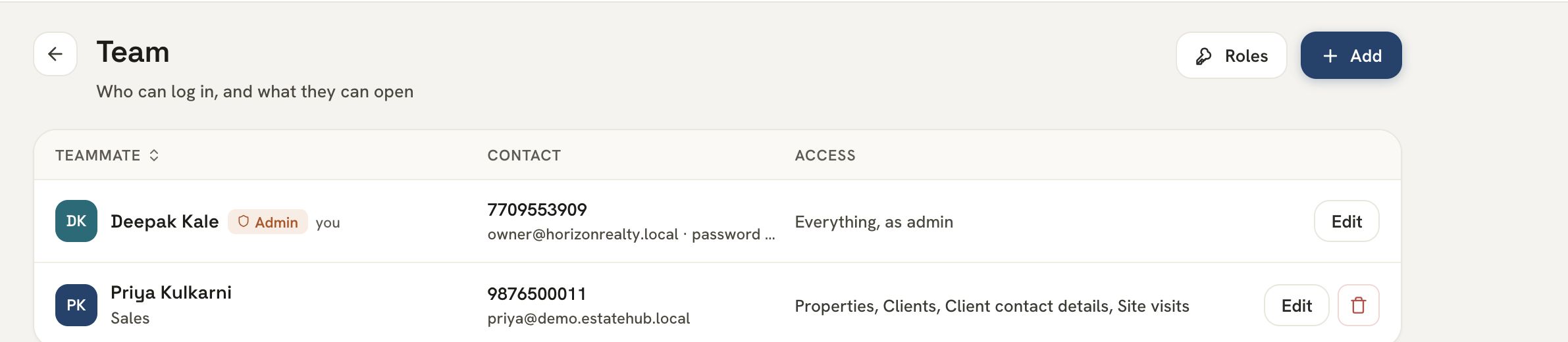
A login each
Nobody shares a login, because a shared login means the record cannot say who did anything. Each person signs in as themselves: a code texted to their own mobile, or their email and a password only they know.
- Add someone with a name, a mobile number and an email: they get a link to choose their own password, and you never set, tell or reset one
- An admin role for whoever runs the agency, a member role for everyone else
- Remove someone the day they leave
- A partner’s share set on their login, for the cash book’s split
Only what they need
Tick what each person can open, screen by screen, and separately whether they can add, change or remove anything on it.
- Per screen: properties, clients, visits, deals, projects, agents, expenses, reports and more
- Per action: view, add, edit, delete
- A junior can book visits without being able to see your clients’ phone numbers, email or address
- Deleting is off by default for somebody new — it is the one action with no undo
- A screen they cannot open is not in their menu at all, and the server refuses it too
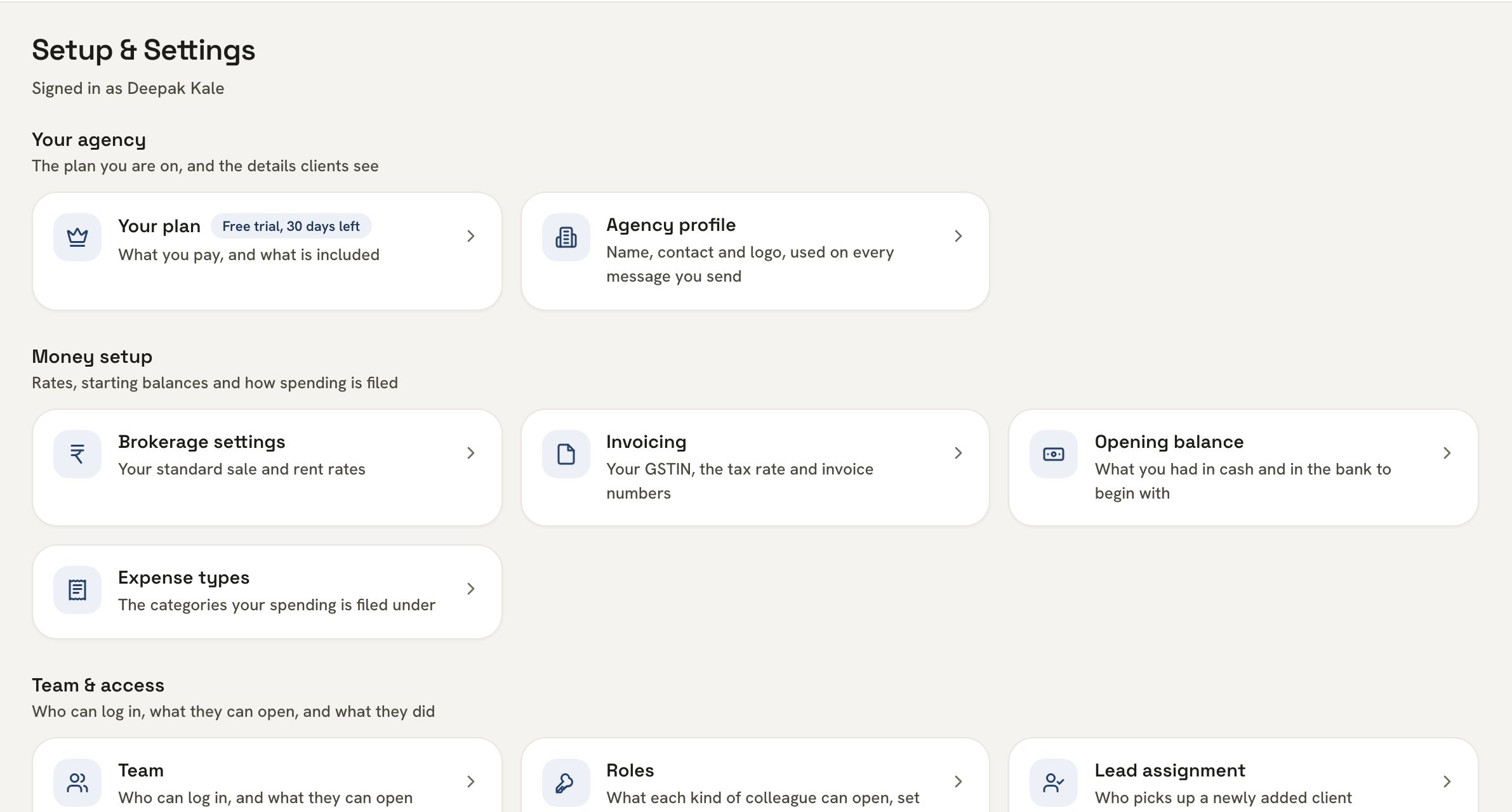
Setup & Settings
Your plan, your agency profile, money setup, the team and their access, in one place — and the parts that decide how the business runs are yours alone.
- Only the admin can change the plan, the agency profile, brokerage rates and the opening balance
- Only the admin manages the team, lead assignment and the activity log
- Everyone can see their own access, and what they cannot open
- A colleague who could grant themselves more would not be a permission system
Running a team
Lead assignment
Switch it on and a new client goes to whoever in the rotation is carrying the fewest open ones. Switch it off and you hand them out yourself.
Activity log
Who added, changed or deleted what, and when — filtered by person, area or kind of change.
Team report
How each colleague is doing: visits, deals and calls, over any period.
The rest of Erca
Properties & clients
Properties · Clients · Matches
Visits & follow-ups
Visits · Follow-ups
Deals & brokerage
Deals · Rent Renewals · Brokerage
Money
Expenses · Cash Book
Channel partners
Projects · Developers · Bookings · Agents
Client care
Messages · Wishes
Reports
Dashboard · Reports
Pricing
₹999 per user a month, add-ons ₹100 each
See pricesPut your own office on it for a month.
30 days with every add-on switched on, no card and nothing to cancel. Sign up on the web and you are working in minutes; the phone app signs in to the same account.