Brokerage, worked out and split before anyone asks
Close a sale or a rental and the brokerage is calculated from your own rates, split across every co-broking agent and the agency, and tracked until the last rupee is in — including the part payments in between.
In the app: Deals · Rent Renewals · Brokerage. Parts marked “add-on” are ₹100 a month each for the agency, and on during the 30-day trial.
Deals
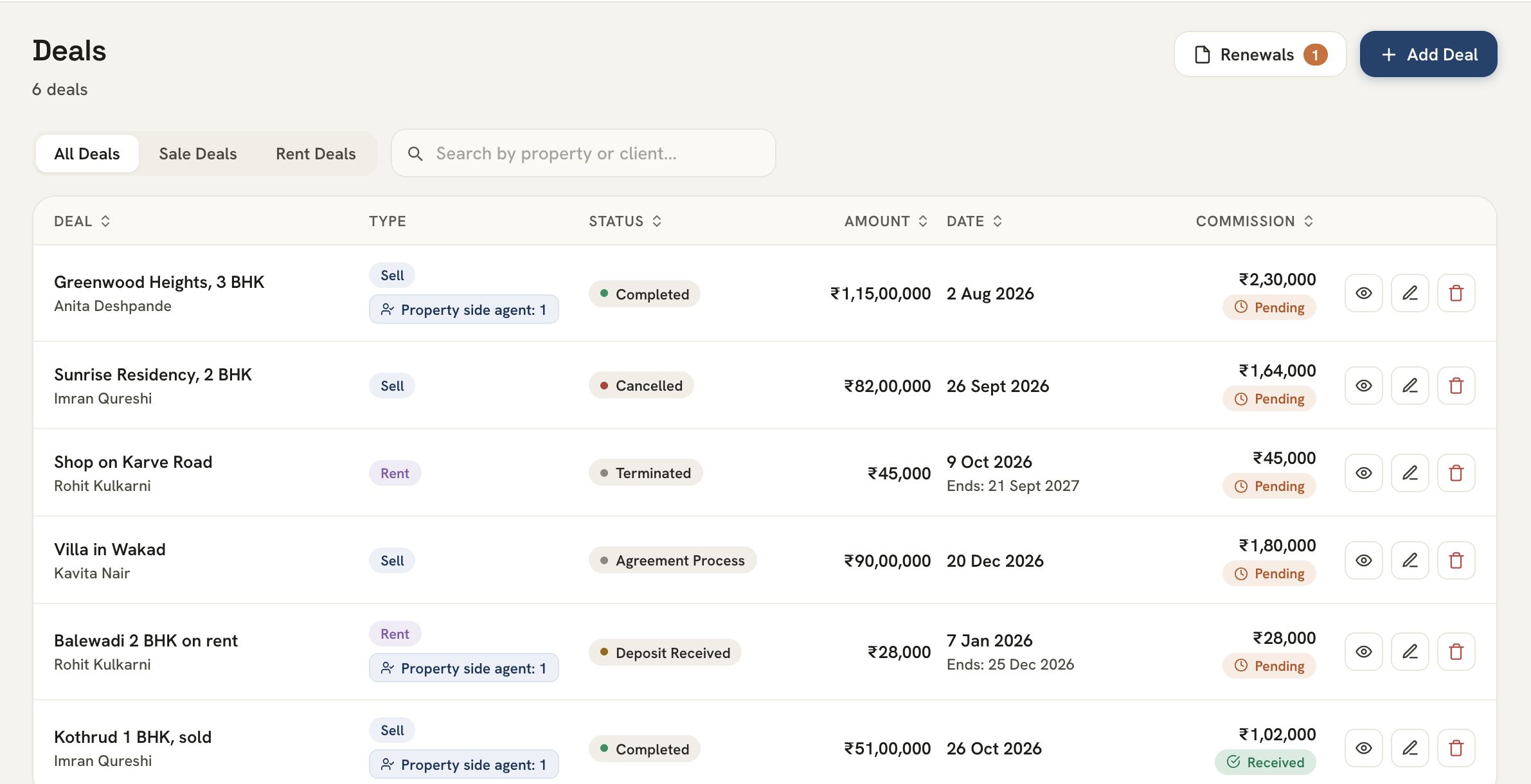
Every sale and rental from token to completion, with the amount, the client, the agents on it and whether the brokerage is in.
- Sale: token received, agreement in process, completed or cancelled
- Rent: deposit, agreement, active, expiring, renewed or terminated
- Brokerage received or pending, on the list itself
- The deal shows which agents were on each side
The split, worked out
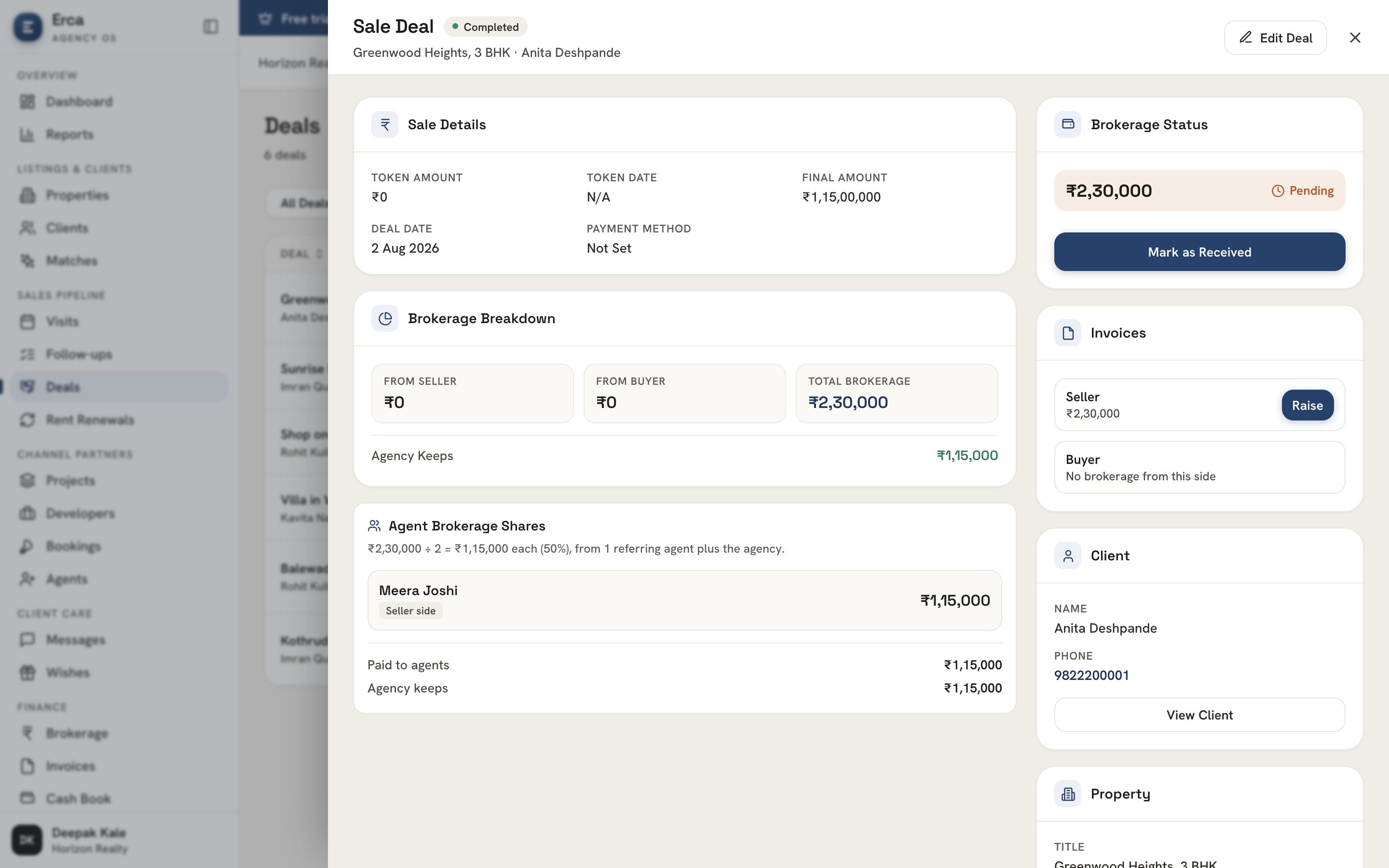
Brokerage comes from your standard rates for each side, unless you negotiated it — and the share for every co-broking agent comes out of it automatically.
- Separate rates for seller and buyer, owner and tenant
- Rent brokerage as months of rent, a percentage, or a flat fee
- An equal split across every referring agent plus the agency, in whole rupees
- Renegotiate one agent’s share on one deal without touching your rates
Part payments
Most brokerage does not arrive in one go. Record what came in, how and from whom, and the rest stays on the list of what is owed.
- The amount, the mode, the reference and a screenshot of the payment
- Short of the agreed fee? Say whether the rest is still owed or the fee was renegotiated
- Still owed: the split stands and the balance stays on the chase list
- Renegotiated: the whole split recomputes, co-broking agents included
- Expenses the client agreed to repay are billed on the receipt, outside the split
Forecast and what is owed
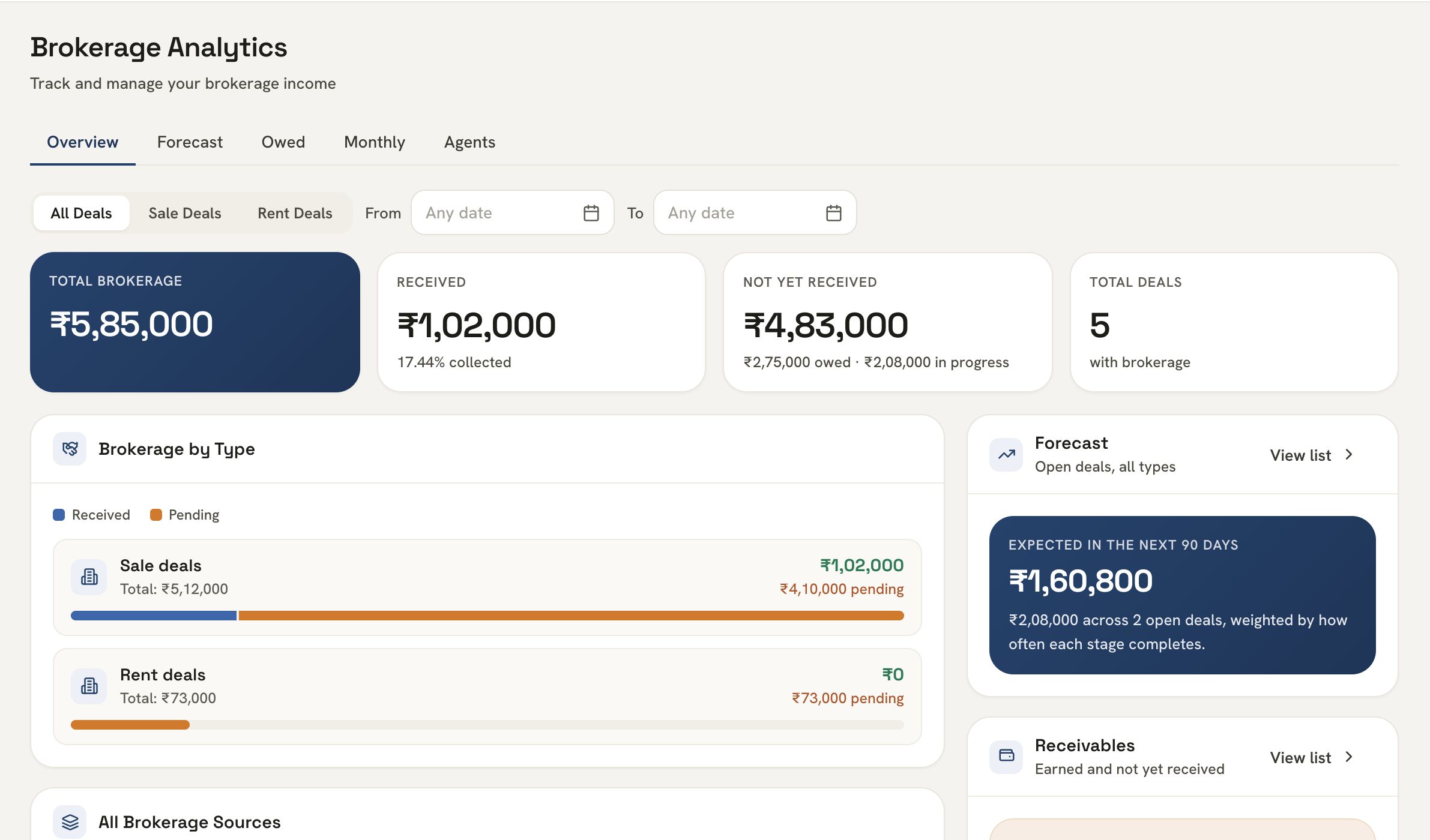
Total brokerage, what is received and what is not — and, separately, what might still come in and what has been earned but not paid.
- Forecast: open deals weighted by how often each stage actually completes
- Owed: brokerage earned and not received, oldest first
- By sale and rent, by deals and project bookings, by month and by agent
- A deal is never counted in both the forecast and the owed list
Rent renewals
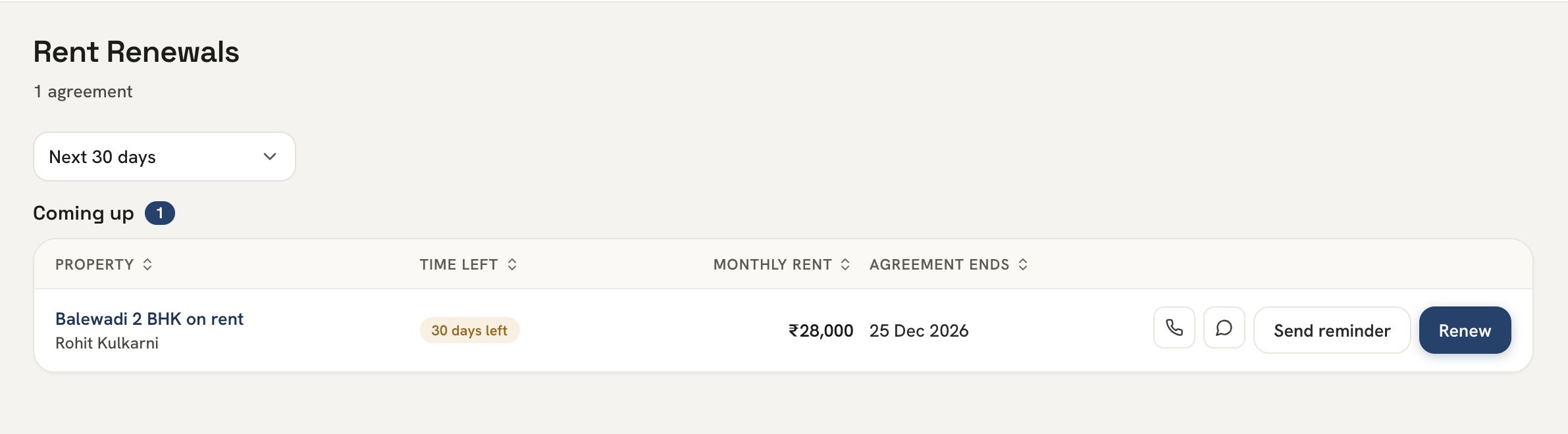
Every rent agreement flagged 30 days and 7 days before it ends, so you make the call before the tenant does — and before another broker does.
- Reads the agreement’s end date, not a status somebody forgot to update
- Two milestones, and nothing in between to train you to ignore it
- A reminder ready to send from the row
- The year of tenancies ahead, and what they are worth, in the renewal calendar report
Set once
Brokerage settings
Your standard sale and rent rates, per side, applied to every deal unless that deal says otherwise.
Proof of payment
A UPI reference typed into a box is a claim; the screenshot beside it is the evidence. Cash needs neither.
Who took the money
Brokerage handed over in cash is recorded against the colleague who received it.
The rest of Erca
Properties & clients
Properties · Clients · Matches
Visits & follow-ups
Visits · Follow-ups
Money
Expenses · Cash Book
Channel partners
Projects · Developers · Bookings · Agents
Client care
Messages · Wishes
Reports
Dashboard · Reports
Team & access
Setup & Settings
Pricing
₹999 per user a month, add-ons ₹100 each
See pricesPut your own office on it for a month.
30 days with every add-on switched on, no card and nothing to cancel. Sign up on the web and you are working in minutes; the phone app signs in to the same account.